


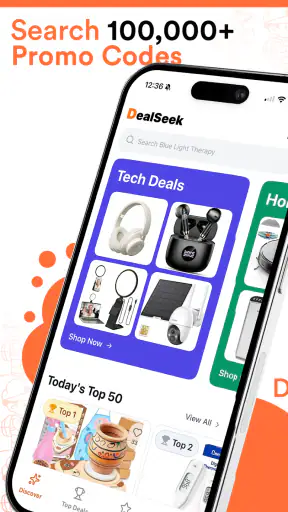
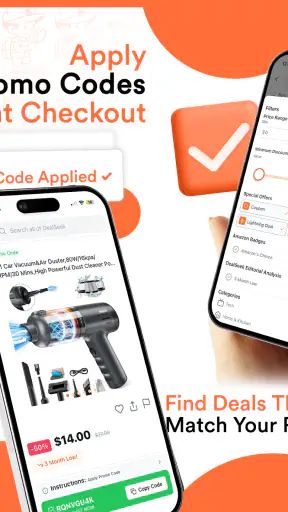
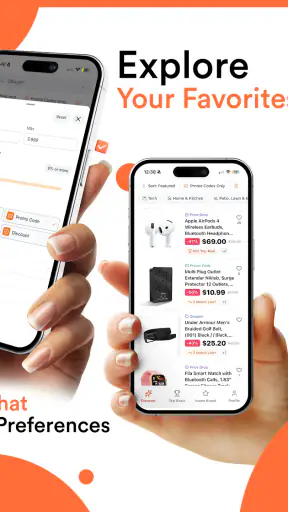

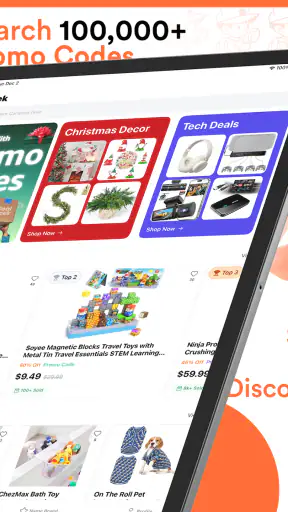
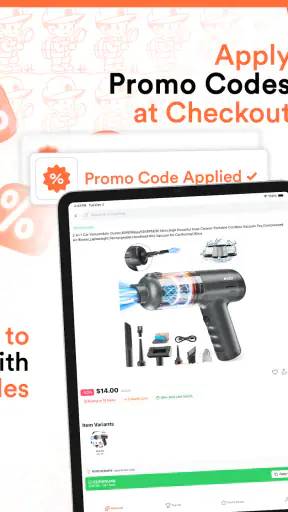
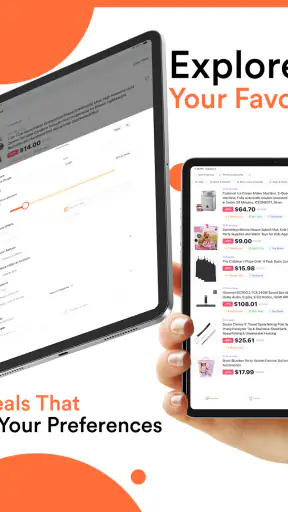
I usually approach coupon apps with a little caution. Saving money sounds simple, but the experience can quickly become frustrating when codes are expired, discounts apply only to selected products, or the checkout page rejects an offer without a clear explanation. After spending time with DealSeek: Coupons & Discounts, I found it more useful as a daily shopping companion than as a magic button for guaranteed savings. It gathers promotional opportunities in one place, helping me check for a deal before I buy, while still leaving me responsible for reading the conditions.
That distinction matters. DealSeek is a free shopping app from DealSeek LLC, aimed at people who regularly buy online and want a quick way to look for promo codes or savings. It is suitable for Everyone, runs on Android 7.0 and later, and its current version is 1.59.0. The app has built a strong audience, with an average rating of 4.8 from around 12 thousand ratings and more than 1 million installs. Those figures suggest that the basic idea works for a lot of shoppers, but they do not remove the need to judge each offer carefully.
How DealSeek feels in everyday shopping
A practical starting point before checkout
The most useful habit I developed with DealSeek was opening it before completing an online order, rather than waiting until I was already on the payment screen. That small change makes the app feel less like an emergency search tool and more like part of my shopping routine. I can check whether a store or product category has an available promotion, compare the wording of the offer with my planned purchase, and then decide whether the possible saving is worth the extra step.
This is especially helpful when I am buying something I already intended to purchase. In that situation, the app does not need to persuade me to shop; it only needs to help me avoid paying the full amount when a suitable discount exists. I also like that this approach reduces impulse buying. Instead of browsing deals with no plan, I can begin with a real need and use DealSeek as a quick price-checking layer.
The app’s store summary focuses on daily promo codes and savings, and that description matches its role fairly well. I would not treat it as a complete shopping marketplace or a replacement for a retailer’s own application. Its value is in the moment between deciding what to buy and placing the order. That narrow purpose is a strength because it keeps the experience focused, although users expecting detailed product research may find it limited.
What I check before using an offer
I have learned not to judge a coupon only by the headline percentage or the size of the advertised saving. The more important questions are whether the offer applies to the exact store, whether a minimum purchase is required, whether exclusions affect the item I want, and whether the discount works with other promotions. A code can look attractive and still be useless for a carefully chosen order.
My preferred workflow is simple. I first identify the retailer and the item I want. Then I look through DealSeek for an offer that matches the purchase instead of selecting the most dramatic-looking promotion. I read the conditions before copying or applying anything, and I check the final total at checkout rather than assuming the code worked. This workflow takes a little discipline, but it prevents a common mistake: believing that a code was accepted when the final price did not actually change.
The final checkout total is the only saving that counts. That is my most important advice for new users. A promotional message can be genuine while still not applying to a particular basket. DealSeek can make the search faster, but it cannot make every retailer’s rules consistent.
Where the app fits beside familiar alternatives
Without a dedicated coupon app, I would normally search the retailer’s website, scan an email inbox, check a browser search result, or wait for a promotion to appear during checkout. Each method has an obvious weakness. Retailer websites may show only their own campaigns, email searches depend on receiving the right message, and general web results can mix current offers with old pages.
DealSeek gives me a more focused place to begin. Compared with searching the open web, it feels less scattered because the purpose is clearly shopping savings. Compared with a retailer’s own app, it can be more useful when I shop across several stores rather than staying loyal to one brand. On the other hand, a retailer’s direct offer may be more reliable for loyalty rewards, member pricing, delivery benefits, or account-specific promotions. For those advantages, the store’s own channel remains the better option.
I also would not use DealSeek as my only price-comparison method for expensive purchases. A coupon does not automatically make a product inexpensive, and a discount can distract from shipping charges, return conditions, or a cheaper equivalent elsewhere. For larger purchases, I would compare the full delivered price across retailers first, then use DealSeek to see whether the preferred seller has an extra promotion.
Small habits that improve the results
One useful trick is to search for savings before adding optional items to a basket. If a promotion requires a minimum spend, it is easy to buy something unnecessary just to unlock it. I prefer to calculate whether the discount exceeds the cost of the extra item. If it does not, the “deal” is not really saving me money.
Another practical habit is to keep the order flexible until the code has been tested. If I have not yet entered payment details, I can remove excluded products, adjust quantities, or compare another retailer without creating unnecessary hassle. This is particularly useful when an offer has a narrow scope. The app may help me discover the possibility of a saving, but the retailer’s checkout remains the place where the real rules are enforced.
I also recommend checking whether a promotion is better than an automatic sale already visible on the store page. Sometimes a code looks more impressive but produces a smaller reduction than the retailer’s current price. DealSeek is most effective when I use it to compare options, not when I apply the first code I see.
How the current version affects the experience
The current release, version 1.59.0, is the version I would use when judging the app today. I see that as important because coupon services can change quickly: retailers update campaigns, old promotions disappear, and the usefulness of the catalog depends on keeping information current. A current version gives existing users the best chance of receiving the app’s present experience rather than relying on impressions from an older release.
The app was released on July 1, 2025, so its public history is relatively recent. I would not interpret that as a problem by itself. A newer product can still be worthwhile when its central task is clear and its audience is growing. At the same time, I would keep expectations realistic: a newer coupon service needs time to demonstrate how consistently it handles changing promotions, retailer differences, and the less glamorous details that determine whether a code works.
For someone already using an earlier version, the sensible approach is to update normally and then pay attention to whether search, offer details, and checkout handoff feel smoother in daily use. I would not update solely because a version number changed, but I also would not judge the current app by an old experience. The product is still evolving, and coupon accuracy matters more than flashy additions.
The effect on different kinds of shoppers
DealSeek is a good match for frequent online shoppers who visit several retailers and are willing to spend a minute checking an offer. It can also help households that make repeated purchases in categories where promotional codes are common. In those cases, even occasional successful savings can justify building the habit, particularly because the app is free.
It is less compelling for someone who buys online only a few times a year, never uses promo codes, or dislikes switching between an app and a retailer’s checkout. The possible saving has to be weighed against the time spent reading conditions and testing the offer. If a shopper already receives reliable discounts through a store membership or a credit-card reward program, DealSeek may add little to that particular routine.
I would also be cautious about recommending it to anyone who treats every listed promotion as guaranteed. Coupon users need to accept some uncertainty. An offer may be restricted by product, account, location, timing, or another retailer rule. The app is best for people who can verify the result calmly, not for someone who wants a completely automatic discount with no checking.
A realistic shopping scenario
Imagine I need to replace a household item and already have a preferred retailer because of its delivery options. I open DealSeek before ordering and find a promotion that appears relevant. Instead of immediately assuming I have saved money, I read the conditions and compare the offer with the retailer’s visible sale price. If the code requires a threshold, I check my existing basket rather than adding random extras. I apply it at checkout, confirm that the total changes, and only then complete the purchase.
If the code fails, I do not keep rebuilding the order indefinitely. I check whether another listed offer fits better, then compare the final price with another retailer. This is where DealSeek helps without taking over the decision. It shortens the search for possible savings, but it does not replace common sense about delivery, returns, quality, or the actual need for the product.
Remaining friction and realistic limitations
The biggest limitation is inherent to coupon shopping: discovery and redemption are separate steps. DealSeek can point me toward a promotion, but the retailer controls whether the code is accepted. That means the app cannot guarantee a smooth result every time. Users who expect every listing to work instantly may become disappointed, especially when the conditions are more complicated than the headline suggests.
Another source of friction is the need to compare the saving with the whole order. A percentage discount can be less valuable than a smaller-looking fixed reduction, depending on the basket. Shipping costs can also change the calculation. I would like any coupon app to make these comparisons effortless, but shoppers still need to inspect the final amount themselves.
There is also a trade-off between breadth and depth. A service that covers many retailers can be convenient, yet it may not provide the same account-specific benefits as a retailer’s own system. Conversely, a store’s direct promotion may be highly relevant but useless when I shop elsewhere. DealSeek makes more sense as a broad discovery tool than as a replacement for every loyalty scheme I already use.
Because the app is free, I judge it mainly by the time it saves and the quality of the opportunities it surfaces. A free download is not automatically valuable if it encourages unnecessary browsing or purchases. I keep the app useful by starting with a planned purchase and leaving when I have checked the realistic options. That boundary makes the experience more practical and less tempting.
What I would like to see as it develops
The product’s next stage should be judged by reliability rather than by the number of visible offers. I would watch for clearer explanations of restrictions, better separation between broadly usable promotions and narrowly targeted ones, and a smooth way to recognize when a code is no longer worth trying. These are the details that determine whether a coupon app becomes part of a routine.
Existing users should also pay attention to how the current version handles changing retailer campaigns. A strong update is not merely one that adds more listings; it should make the useful offers easier to identify and reduce wasted attempts at checkout. Since DealSeek is a recent service, continued refinement in that area would matter more to me than decorative changes.
For new users, I would begin with modest expectations. Try it on an order you already planned, read the conditions, and verify the final total. That experiment will tell you more than a long list of advertised savings because it measures whether the app fits your own stores and shopping habits.
My recommendation after using it
I recommend DealSeek: Coupons & Discounts to shoppers who want a dedicated place to look for promotions before paying and who understand that a coupon still needs to be checked at the retailer’s checkout. Its free price makes it easy to try, its shopping focus is clear, and its strong reception from users gives it a reasonable level of confidence for a newer app.
I would skip it if I rarely shop online, already receive better account-based offers directly from one retailer, or find coupon conditions too tiring to read. In those cases, a store’s own application or a simple price comparison may be more efficient. DealSeek is not a guarantee of the lowest possible price, and it should not be used as an excuse to buy something unnecessary.
For me, the app works best as a final checkpoint: decide what I need, compare the complete price, look for a suitable offer, and confirm the saving before ordering. Used that way, it adds a useful step without pretending to solve every part of shopping. Its real strength is making the search for a possible discount easier, while the smartest savings still come from careful buying.


